matching · Product help
Move a placement through stages and rematch safely
Open the correct placement, update its stage from real progress, and rerun matching after material changes.
SeniorPath Product & Compliance · Product version 2026.09
Source checked · Replit Agent repository source inspection; not human, legal, provider, or publication approval.
This is general product guidance, not a view of your account. Confirm permissions and current facts in your workspace before acting. Do not enter private client information here.
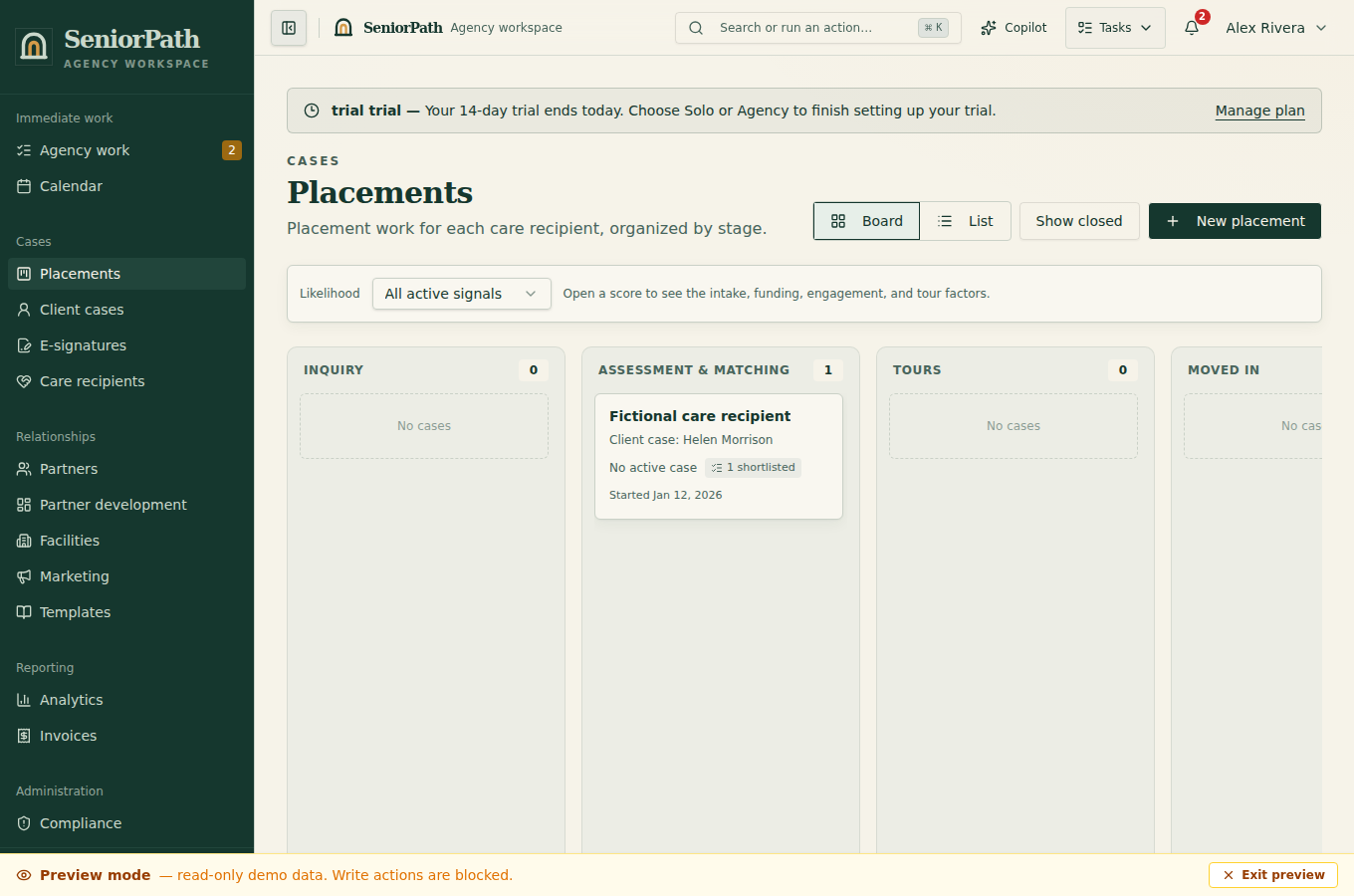
Prerequisites and role: Solo and Agency owners/admins/advisors can edit a placement connected to the correct client case and care recipient; assistants normally review only. Matching requires a sufficiently current care profile and matching capability. A saved fee-basis label is not proof of invoice entitlement.
Steps: 1. Open Placements and select the intended case. Review Stage, Funding, likelihood, and active risk signals. 2. On the placement, confirm search location and optionally enable Limit results to a radius with valid coordinates and Radius (miles). 3. Run matching or rematching, then read Facility Matches and the supporting explanation rather than relying on score alone. 4. Add only reviewed options to Facility Shortlist. Use Move to stage when the family's real progress supports the change.
Expected result: results reflect the current saved inputs, and placement history shows deliberate stage and shortlist decisions; matching does not establish facility availability or current compliance evidence.
Exceptions and recovery: Distance unavailable means coordinates or radius evidence is missing; enter verified coordinates or search without claiming distance. If there are no matches, broaden only family-approved criteria or update the care profile, then rerun. Restricted roles can review but not change stage or shortlist. On a failed rematch, preserve the prior shortlist and retry after fixing the reported input.
Operator duty: confirm care, budget, geography, licensing, availability, and stage evidence. A score or stage is not a clinical recommendation.
Family visibility: internal stages, fit scores, funding signals, and search work remain private unless deliberately published.
Reverify: rematch after material care, budget, location, availability, or preference changes and before making a recommendation.
Was this article useful?
Feedback collection is currently unavailable pending privacy review. Do not enter client information here. This feedback is not a support request.