matching · Product help
Match by radius and save search evidence
Set a practical search area, review fit, and preserve what supported a shortlist.
SeniorPath Product · Product version 2026.09
Source checked · Replit Agent repository source inspection; not human, legal, provider, or publication approval.
This is general product guidance, not a view of your account. Confirm permissions and current facts in your workspace before acting. Do not enter private client information here.
Prerequisites and role: Solo and Agency matching is available on a placement linked to a current care profile. Owners, admins and advisors can update the search and shortlist; assistants normally review only. Confirm a search location and valid coordinates before limiting by miles.
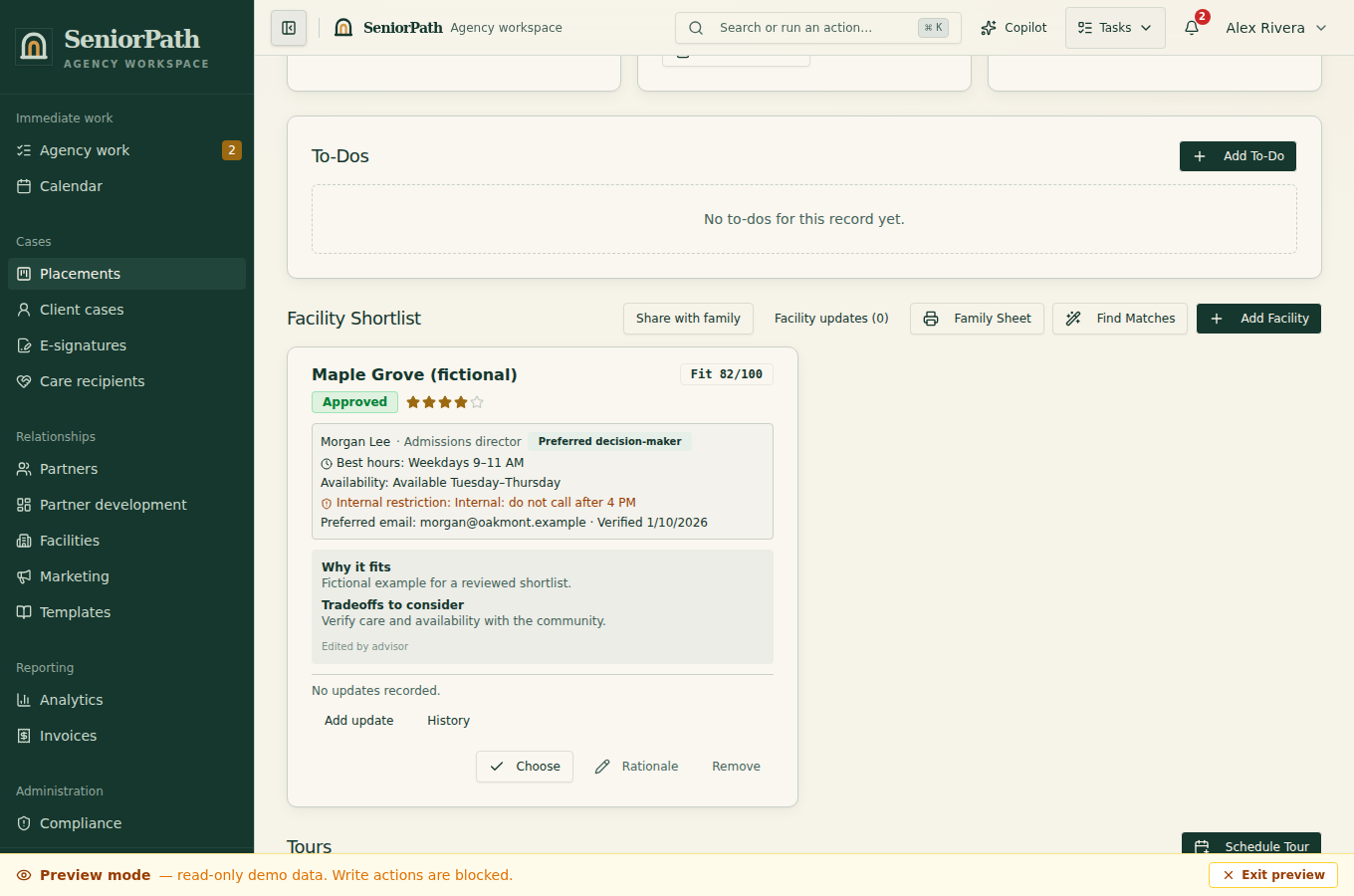
Steps: 1. Open the intended placement and review the care profile, budget and search location. 2. Enable Limit results to a radius only with valid coordinates, enter Radius (miles), and run matching. 3. Read Facility Matches and each fit explanation; compare care and distance evidence instead of treating the score as a recommendation. 4. Add reviewed options to the shortlist and save the search-run evidence, criteria and facility facts available at that time.
Expected result: the shortlist retains a traceable search basis, not a guarantee of vacancy, clinical fit, or current licensing.
Exceptions and recovery: Distance unavailable means coordinates or radius evidence is missing; verify coordinates or search without a distance claim. If matching fails or results are empty, keep prior evidence, check inputs and broaden only family-approved criteria before rerunning.
Operator duty: confirm the resident's priorities, practical travel area, licensing, availability, care, and price directly before recommending a facility. SeniorPath provides workflow support, not a clinical or legal determination.
Family visibility: families see only items deliberately published through their family experience. Internal scores, search notes, and agency-only facility intelligence remain private.
Reverify: rerun or refresh the search whenever needs, budget, location, or shortlist changes, and confirm time-sensitive facility facts immediately before referral or tour.
Was this article useful?
Feedback collection is currently unavailable pending privacy review. Do not enter client information here. This feedback is not a support request.