matching · Product help
Keep practical facility updates with the shortlist
Record what a community said, review earlier updates, and correct mistakes without losing history.
SeniorPath Product · Product version 2026.09
Source checked · Replit Agent repository source inspection; not human, legal, provider, or publication approval.
This is general product guidance, not a view of your account. Confirm permissions and current facts in your workspace before acting. Do not enter private client information here.
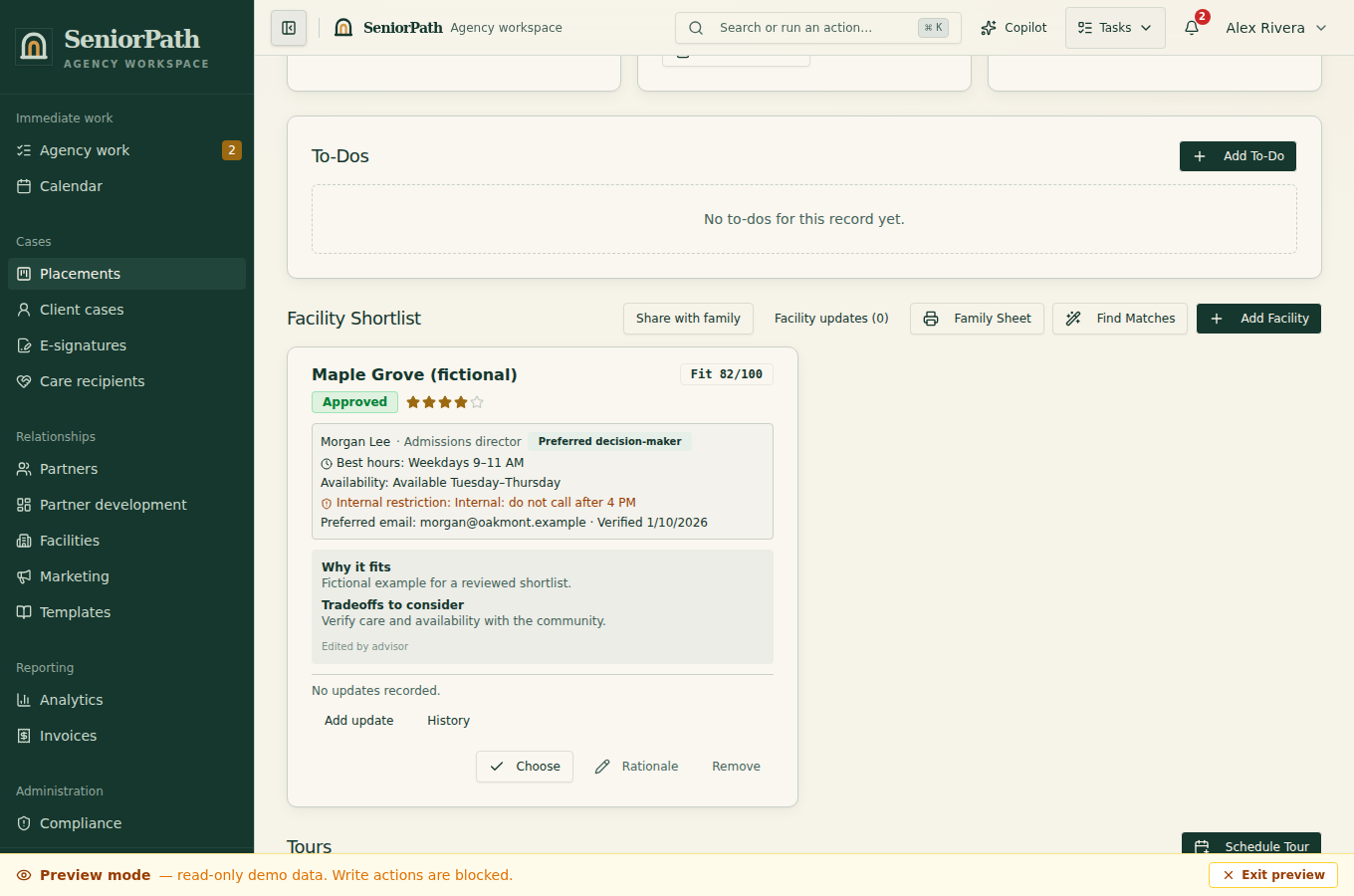
Prerequisites and role: Solo and Agency placement writers (owner, admin, advisor) need the correct placement and a dated, identifiable facility response; assistants normally review only.
Steps: 1. On the placement shortlist, choose Add update beside a facility when you have something practical to record. 2. Choose available, unavailable, unable to meet need, not interested, excluded, or follow-up required, then add the source, observation date, and factual reason. 3. Read the latest update beside the facility and expand history for earlier updates. Use placement-level Facility updates for removed or never-shortlisted facilities. 4. Correct an entry with a new record, not by replacing the original; separately choose Share with family if appropriate.
Expected result: the latest outcome and earlier history remain traceable without changing an approved family snapshot.
Exceptions and recovery: when a response is unconfirmed, use follow-up required rather than claiming availability. If a save appears to fail, refresh history before retrying to avoid duplicate updates.
Operator duty: choose the update that reflects verified facts; an opening observed previously is not a guarantee of availability today. Do not infer care capability or availability from a match score. Use follow-up required when the result is not yet resolved. Link a saved search when one informed the decision.
Family visibility: internal updates, source details, and private context remain private. Share with family from the shortlist opens a separate review where you may select updates, write family-safe summaries, verify the exact preview, and explicitly approve a new immutable version. Saving or correcting an internal update neither sends a message nor updates an already approved family version.
Reverify: update the outcome after each material facility response and reconfirm availability, ability to meet need, and terms before referral, tour, and move-in.
Was this article useful?
Feedback collection is currently unavailable pending privacy review. Do not enter client information here. This feedback is not a support request.