billing · Product help
Recover billing exceptions and reconcile accounting
Diagnose invoice delivery or settlement issues, use corrections instead of rewriting history, and reconcile Stripe or QuickBooks.
SeniorPath Product & Compliance · Product version 2026.09
Source checked · Replit Agent repository source inspection; not human, legal, provider, or publication approval.
This is general product guidance, not a view of your account. Confirm permissions and current facts in your workspace before acting. Do not enter private client information here.
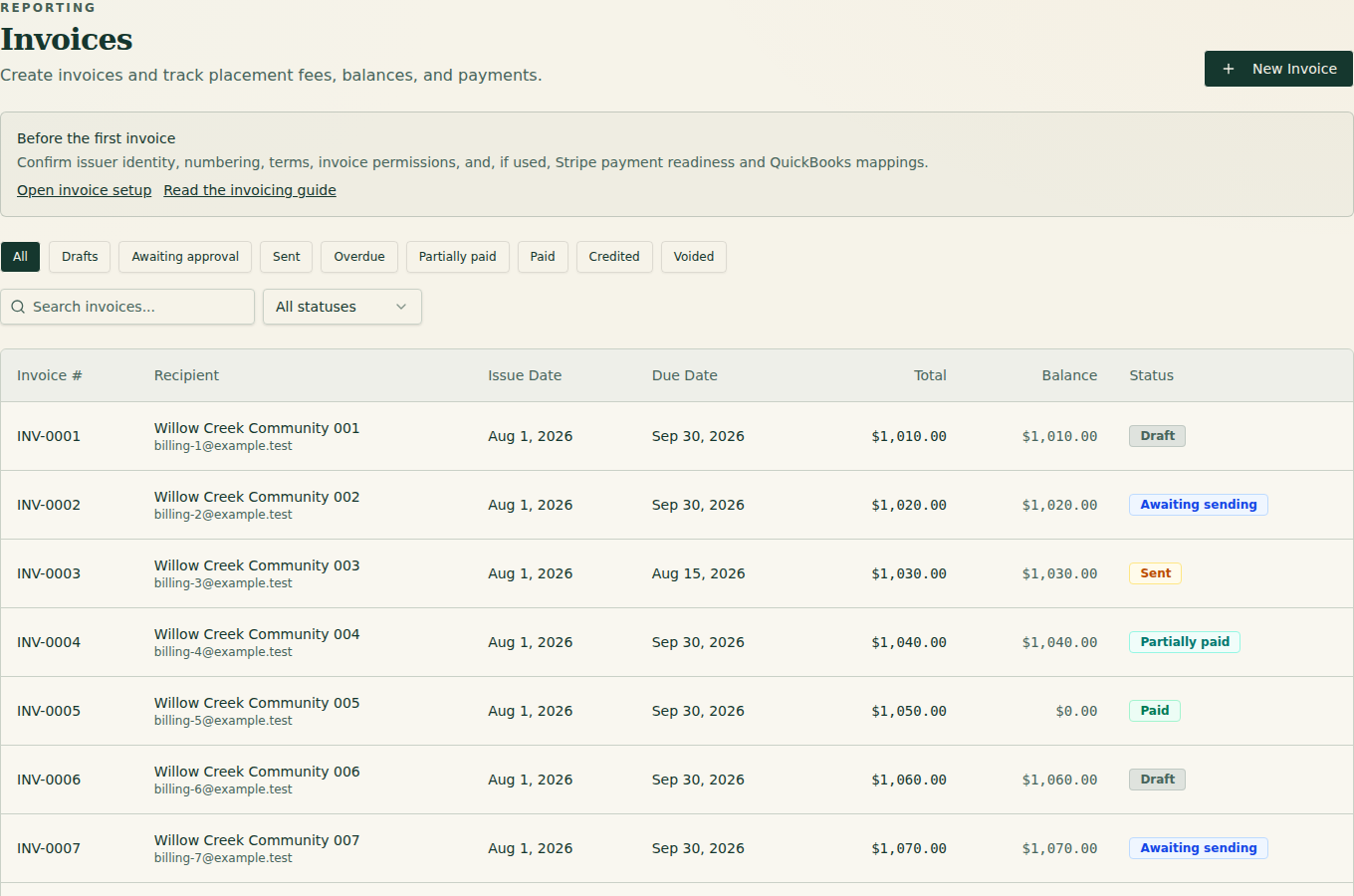
Prerequisites and role: Solo and Agency owners/admins have invoice capabilities; advisors and assistants require explicit per-member grants for each invoice action (destination visibility is not permission). Have the placement, governing fee terms, invoice, provider references and actual settlement evidence. Stripe requires an agency-owned connected account that is ready for charges/payouts; QuickBooks Online requires separate authorization, mappings and configuration. Code paths alone do not prove either provider works live.
Steps: 1. Open Invoices and select the record. Compare Expected, Outstanding, Received, issue status, delivery state, and recipient. 2. For delivery trouble, verify the recipient and visible error before using the delivery action again. Do not retry an uncertain provider result until reconciled. 3. Record real offline payments with their date and reference. Use a credit, refund, clawback, void, or superseding invoice for corrections. 4. In Settings, check Stripe connected-account requirements, charges/payouts and the plan/fee snapshot before online checkout. For QuickBooks Online, only the owner may connect, reconnect or disconnect; owner/admin may manage mappings, sync, retry operations, resolve conflicts and reconcile. Inspect operation and conflict state before retrying. Compare provider activity with the SeniorPath settlement ledger and resolve differences explicitly.
Expected result: issued history remains fixed, corrections are traceable, and provider records reconcile to actual settlement activity.
Exceptions and recovery: an empty invoice list may reflect filters or no issued invoices. If an invoice action is denied, check the specific member grant. Stripe onboarding can remain incomplete when details are due, charges or payouts are disabled, or an account has a disabled reason; resume the authorized onboarding flow and verify readiness, not just a connected label. For a Stripe timeout or unknown charge/refund result, inspect Stripe references, webhook/ledger entries and settlement before retrying; refunds may not recover the entire application fee. For QuickBooks sync failure, inspect operation state and mappings, resolve conflicts with the provider record and reconcile; never create a second invoice or payment merely because sync timed out. A configured integration is not proof of provider delivery or sync. Never include card numbers, bank details, passwords, tokens, or financial credentials in support.
Operator duty: verify entitlement, recipient, tax/accounting treatment, provider status, and actual funds. Escalate ambiguous settlement to qualified finance support.
Family visibility: recipients see invoices and payment information delivered to them; internal fee terms, provider errors, and reconciliation notes remain private.
Reverify: immediately before issue and after every delivery, payment, refund, dispute, correction, provider error, or accounting sync.
Was this article useful?
Feedback collection is currently unavailable pending privacy review. Do not enter client information here. This feedback is not a support request.