compliance · Product help
Review disclosures and Regulatory Watchtower
Configure monitored states, review sourced updates, and complete case disclosures without treating alerts as legal advice.
SeniorPath Product & Compliance · Product version 2026.09
Source checked · Replit Agent repository source inspection; not human, legal, provider, or publication approval.
This is general product guidance, not a view of your account. Confirm permissions and current facts in your workspace before acting. Do not enter private client information here.
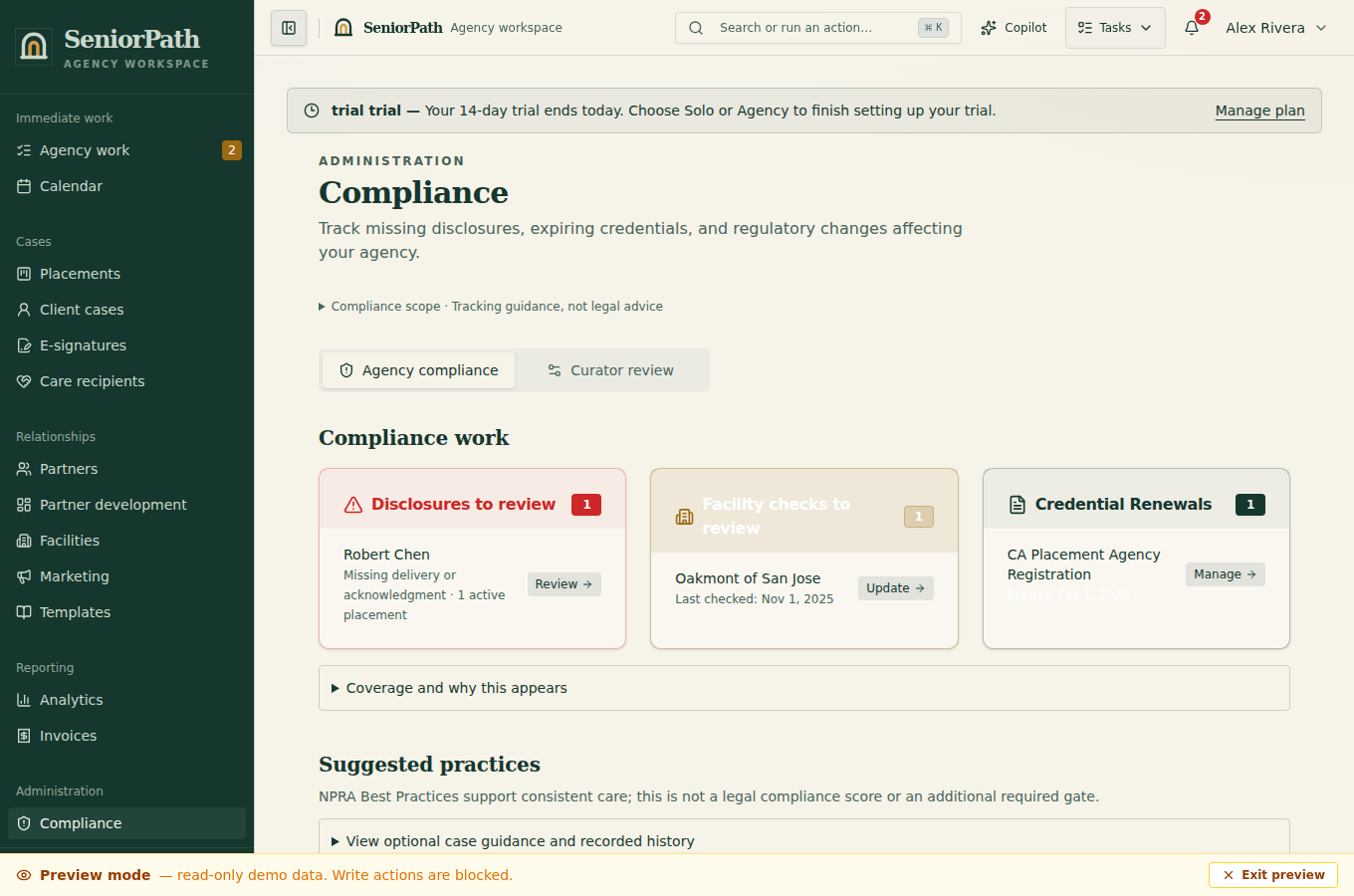
Prerequisites and role: Regulatory Watchtower, compliance assistant and agency credentials require the Agency plan. Owners/admins configure operating states; credential settings require owner/admin and Agency. Case operators on Solo or Agency still need the applicable placement, current primary source evidence and approved disclosure language for baseline checks. Alerts are not legal advice.
Steps: 1. In Settings, verify States of Operation. Open Compliance and review Monitored States, State Health, Last success, and Next check. 2. Review Regulatory Updates by State, Status, Effective Date, Source, Legal Citation, Affected Parties, and Agency Impact. 3. For curator work, inspect the source before Review Draft or publishing a new operational item. 4. On the placement, complete the Pre-referral check and applicable disclosures or acknowledgments with dates and evidence.
Expected result: sourced updates and case evidence are recorded with review state; alerts identify work but do not guarantee compliance.
Exceptions and recovery: “No states configured” requires an owner or admin to configure operating states. A missing Watchtower can indicate an Agency entitlement or role restriction. An empty queue or no current items can be valid. For failed or stale source checks, use the original authority and escalate uncertainty; do not mark complete based only on an old alert. A mobile debrief is not a substitute for registry evidence or required disclosure acknowledgment.
Operator duty: determine applicability, verify current primary sources, obtain required acknowledgments, and seek qualified legal advice where needed.
Family visibility: families see only disclosures, acknowledgments, and evidence intentionally shared; curation and internal legal deliberation stay private.
Reverify: near referral, after a material case or law change, and whenever Last success or evidence freshness indicates review is due.
Was this article useful?
Feedback collection is currently unavailable pending privacy review. Do not enter client information here. This feedback is not a support request.