partners · Product help
Interpret analytics, filters, and revenue metrics
Choose a period and advisor or source filter, then distinguish pipeline activity, fee refund periods, invoices, and payments received.
SeniorPath Product & Compliance · Product version 2026.09
Source checked · Replit Agent repository source inspection; not human, legal, provider, or publication approval.
This is general product guidance, not a view of your account. Confirm permissions and current facts in your workspace before acting. Do not enter private client information here.
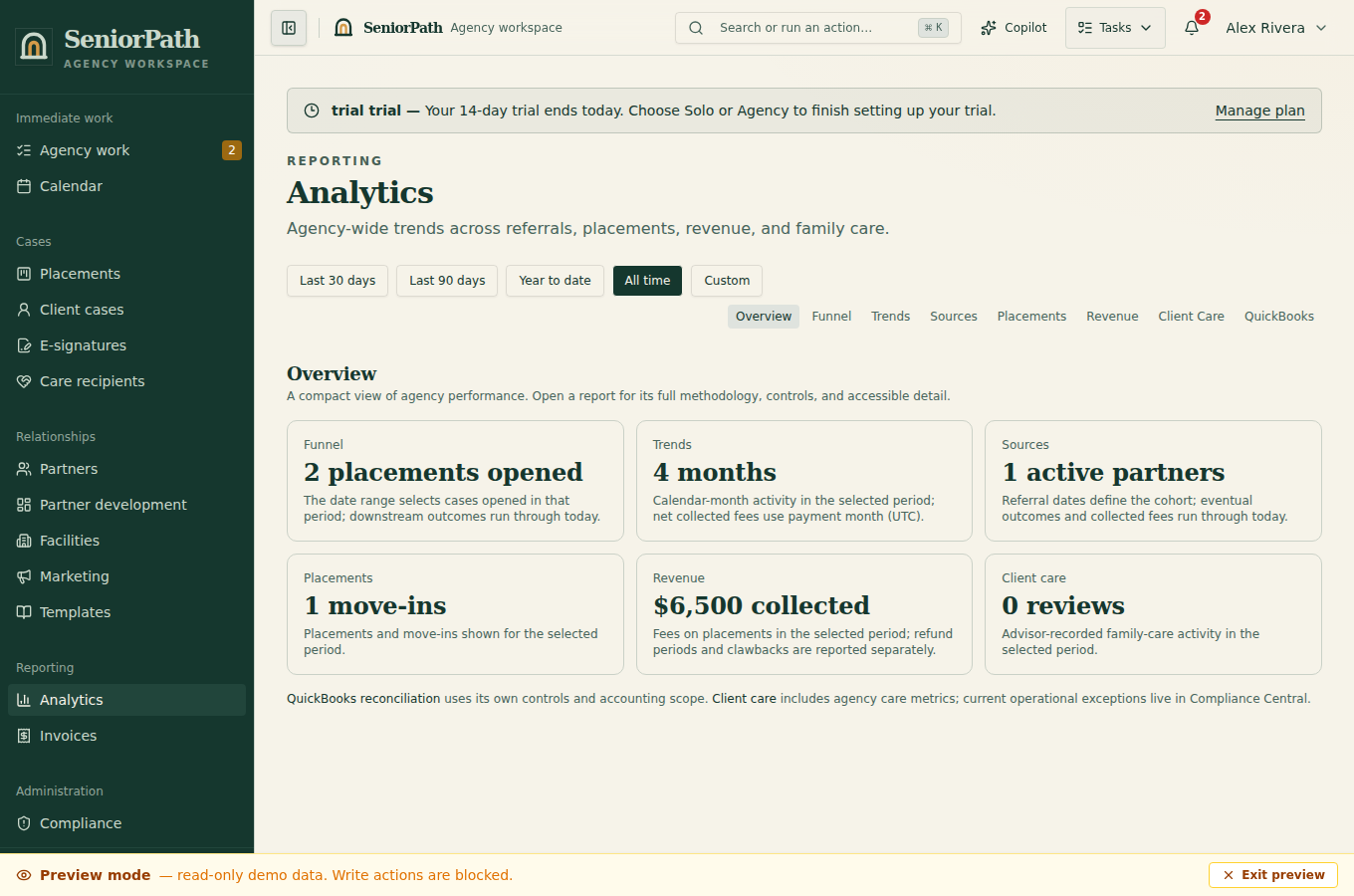
Prerequisites and role: Analytics requires the Agency plan and owner/admin access to agency reporting. Agree on the reporting period and whether the question concerns activity, conversion, expected fees, invoices, cash received, or fees received after the refund period.
Steps: 1. Open Analytics and select the date period. Apply All advisors or a specific advisor and All referral sources or the intended source. 2. Read Referrals, Tours, Moved in, and Conversion as separate funnel measures. 3. Keep expected fees, invoices, outstanding balances, payments received, active fee refund periods, and received fees after the refund period distinct; use record links to inspect supporting placements or invoices. A funnel placement whose refund period has ended is not necessarily a collected fee. The currently implemented response-time measure is time from placement creation to first stage transition out of inquiry, not time to a real family reply. 4. Review By Source Type, Facility, Compliance, and Partner Score Leaderboard only within their displayed population and filters.
Expected result: the visible totals and lists answer one defined question under the selected filters.
Exceptions and recovery: “No activity in this period yet,” “No fees collected,” and similar messages are valid empty states, not zeroes for all time. If results seem stale, clear filters, choose a known period, and refresh underlying records. Restricted users may lack detail links. Exported or copied numbers remain snapshots.
Operator duty: state the period, filters, metric definition, and data limitations; do not represent expected or invoiced fees as cash received.
Family visibility: agency analytics, partner scores, revenue, and compliance aggregates remain private.
Reverify: refresh after attribution, stage, tour, move-in, invoice, payment, refund, or fee refund period changes and before external reporting.
Was this article useful?
Feedback collection is currently unavailable pending privacy review. Do not enter client information here. This feedback is not a support request.