partners · Product help
Manage partner referral and outreach workflows
Keep partner relationships, referrals, consent, and follow-up connected without overstating attribution.
SeniorPath Product · Product version 2026.09
Source checked · Replit Agent repository source inspection; not human, legal, provider, or publication approval.
This is general product guidance, not a view of your account. Confirm permissions and current facts in your workspace before acting. Do not enter private client information here.
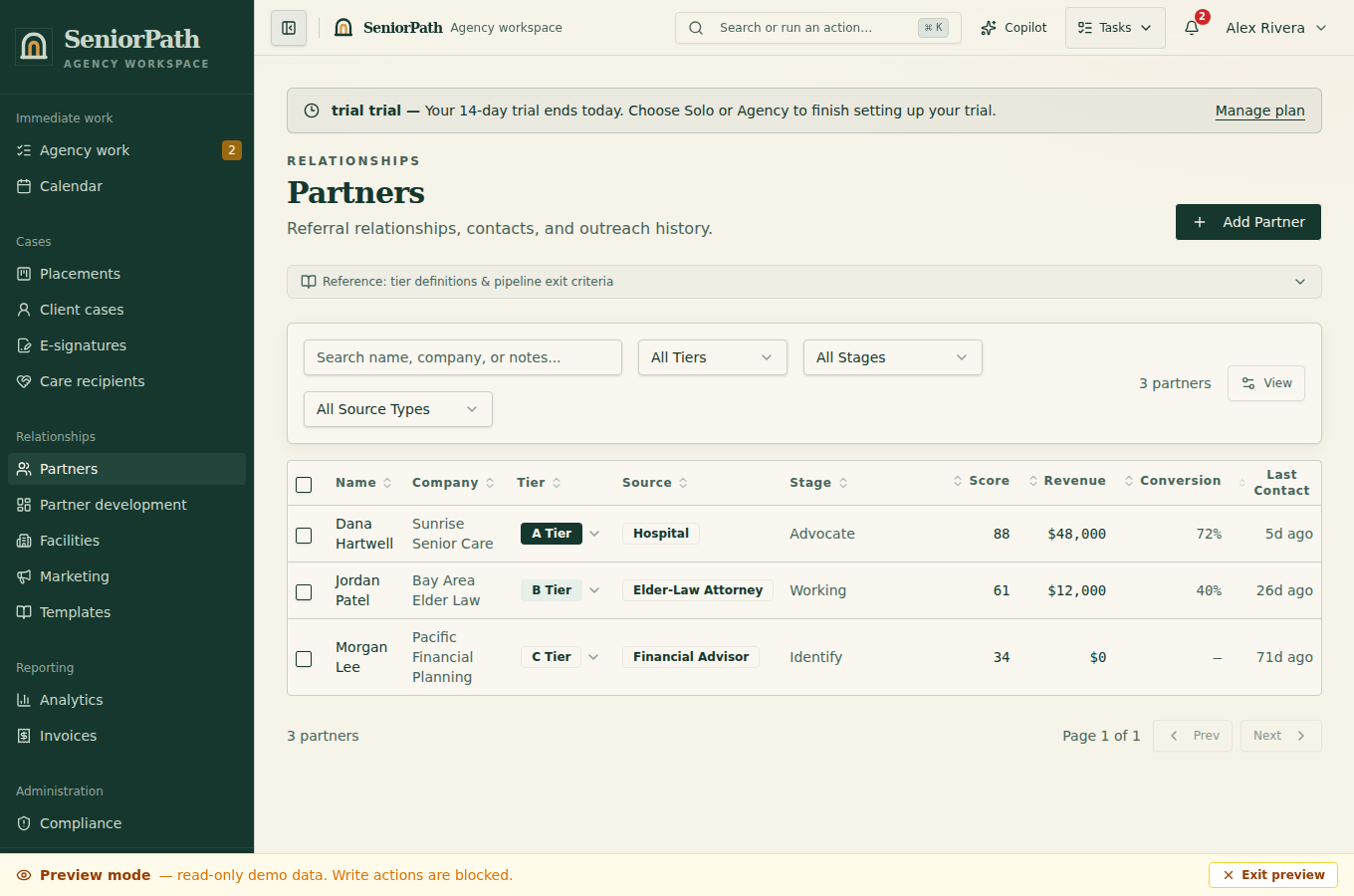
Prerequisites and role: Solo and Agency partner contributors (owner, admin, advisor) need verified contact details, relationship context and consent; assistants normally review only. Sending requires the member's own authorized mailbox, subject to provider approval and configuration.
Steps: 1. Open Partners, locate the existing partner and update contact and source information. 2. Log the referral against the correct client after checking for duplicates and record only observed attribution. 3. Use outreach workflow steps to create reviewable follow-up work. Partner engagement, recurring check-ins, holiday outreach, and review requests are draft-first personal workflows: a due item does not send a campaign or generate AI text in the background. 4. Open the item, confirm the relationship context and communication preference, optionally choose Help me write, edit the draft, and take the final send action yourself.
Expected result: the partner timeline and work reflect recorded activity, not inferred consent or a background send.
Exceptions and recovery: if a contact opts out or a referral is duplicated, stop outreach and correct the record. If a send fails or is uncertain, inspect delivery state and recipient before retrying.
Operator duty: honor opt-outs, communication preferences, and applicable referral-fee or disclosure rules; verify the individual recipient; review AI-assisted drafts; and correct duplicate or misattributed records. Do not treat a connected personal mailbox as consent for promotional sending.
Family visibility: partner records, outreach work, ROI, referral terms, and internal notes remain private. Families see only case information or disclosures intentionally shared through family-facing workflows.
Reverify: check contact and consent status before each outreach sequence, confirm referral attribution when a case is created, and review fee terms before billing.
Was this article useful?
Feedback collection is currently unavailable pending privacy review. Do not enter client information here. This feedback is not a support request.